How to Photograph Your Pet for a Custom Oil Portrait
The photo you send is the starting point for everything in a pet portrait. A hand-painted oil portrait can only be as accurate as the information in the reference, so a few minutes spent taking good photos makes a real difference to the finished painting. You do not need a fancy camera; a recent phone is more than enough. Here is what actually helps.
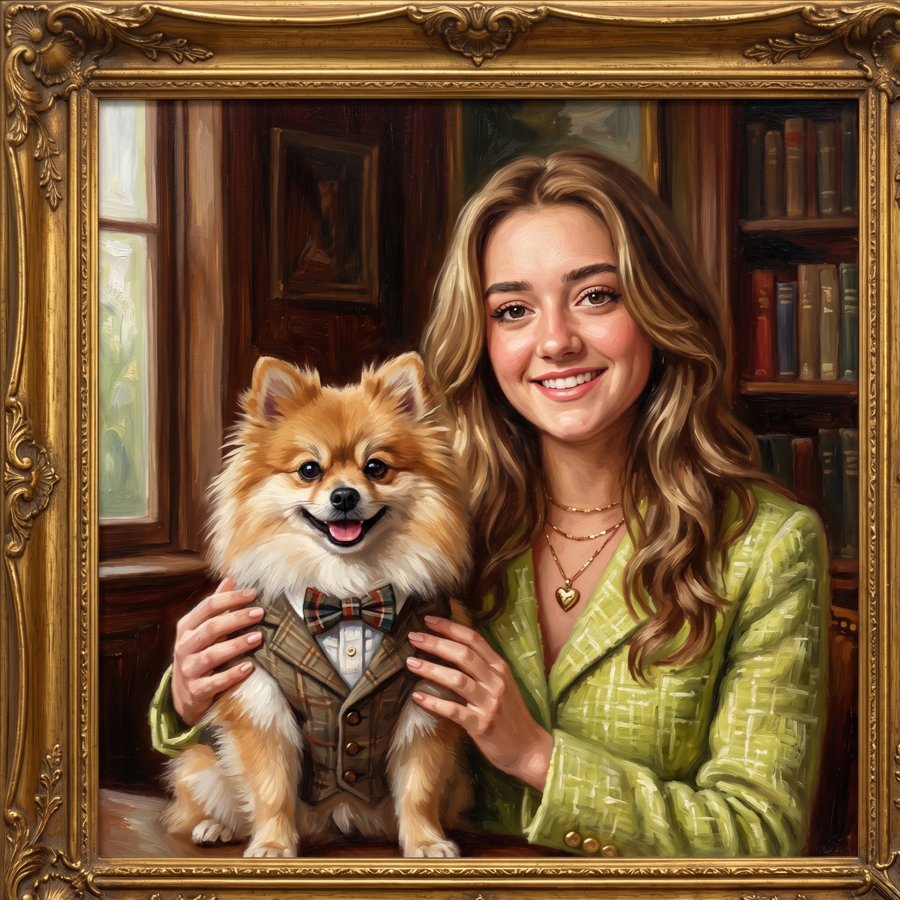
1. Use soft natural light
Daylight is the best light for a portrait reference. Put your pet near a large window, or take them outside on a bright but slightly overcast day, or in open shade. Soft light shows the shape of the face and the texture of the fur without harsh shadows. Avoid strong midday sun, which flattens features and makes your pet squint, and avoid dim indoor lighting, which makes photos grainy and turns colours yellow or orange.
2. Get down to their eye level
Most pet photos are taken from standing height, looking down. That angle makes heads look big and bodies small, and it rarely feels like your pet. Kneel, sit or lie on the floor so the camera is level with their eyes. The result is much more natural and gives a painting a sense of presence, as if your pet is looking straight back at you.
3. Focus on the eyes
The eyes are where a portrait comes alive. Tap on your pet's eyes on your phone screen to set focus there before you take the shot, then zoom in afterwards to check they are sharp. If you can see a little reflection of light in the eyes, even better: that catchlight is one of the details that makes a painted animal look alive. A treat or a squeaky toy held just above the camera usually gets their attention.
4. Take photos from several angles
Even if you already have a favourite pose in mind, take a variety of shots: straight on, a three-quarter view, the profile from each side, and a few close-ups of the face. Photograph any markings that matter to you, like a white patch on the chest, a crooked ear, a scar or a particular pattern on the coat. These extra photos help me get the details right, even when they do not appear in the main reference.
5. Skip filters, flash and heavy editing
Filters and editing apps change colours, smooth out fur and sharpen in unnatural ways, so the painting would end up matching the filter instead of your pet. Please send photos straight from the camera. Avoid flash too: it causes red or glowing eyes, flattens the face and throws hard shadows behind your pet. If the room is too dark without flash, move closer to a window instead.
6. Capture true colours
Coat colour is one of the hardest things to judge from a photo. A black dog can look brown in warm light, and a cream cat can look grey in shade. Daylight gives the most accurate colour. If your pet's coat looks different in different photos, mention it, and tell me in words what colour you see in real life, for example "reddish-brown with a darker back" or "pure white, not cream".
7. Send high-resolution, original files
Messaging apps often compress photos and shrink them, which destroys fine detail like whiskers and fur. Where you can, send the original files by email or a file-sharing link rather than a screenshot or a forwarded chat image. Larger files let me zoom in on the eyes, nose and coat while painting.
8. Send several photos, plus a note
One great main photo plus a handful of supporting shots is ideal. Along with the photos, tell me a little about your pet: their personality, the expression you love most, and anything you would like in the background or composition. That context helps shape a portrait that feels like them, not just like a picture of a dog or cat.
What if your best photo is not perfect?
Many people commission a portrait of a pet who is no longer with them, and the only photos are old, small or a bit blurry. That is completely understandable. Send everything you have and I will let you know honestly what can be done. Several imperfect photos together often give enough information to paint a good likeness.
Frequently asked questions
Can you paint a portrait from an old or slightly blurry photo?
Often, yes. If it is the only photo you have, for example of a pet who has passed away, send it anyway along with any other pictures you have. Extra photos help fill in details such as coat colour and markings, and I will tell you honestly what is possible before you commit.
How many photos should I send?
Send several: ideally one main photo you love for the pose, plus a few close-ups of the face and eyes, the coat and any distinctive markings. Five to ten photos is plenty to work from.
Should I use my phone's portrait mode or filters?
Skip filters and beauty effects, because they change colours and soften detail. A normal photo taken in good daylight is better. Portrait mode is fine if the face, and especially the eyes, stays sharp.
Can you combine two pets from separate photos into one portrait?
Yes. Pets photographed separately can be combined into one composition. Try to photograph them in similar light and from a similar height so they sit together naturally in the painting.
Ready to start?
Once you have a few photos you like, you can request a quote. Pet portrait commissions start from $2,000 USD. See examples on the pet portraits page, read more about how an oil portrait from photo works, or find out how much a custom oil portrait costs.